Best Small Law Firm Software: 2025’s Top Picks for Productivity & Growth
If you’re running a small law firm, every hour and every dollar counts. You’re juggling client expectations, compliance obligations, court deadlines, and the constant need to win new business. But without the right tools, even the best attorney can get buried in admin work.
That’s where legal software designed specifically for small firms makes all the difference. By exploring modern solutions we offer for law firms, you can streamline case handling, automate key processes, and free up time for higher-value work.
In 2025, legal tech isn’t just a “nice to have”, it’s a necessity. From automating client intake to tracking billable hours and managing documents securely, the right tools can save you dozens of hours each month while improving client satisfaction.
This guide breaks down the top software options across categories: from all-in-one practice management to billing, document handling, and CRM, so you can make confident, cost-effective choices for your growing firm.

Table of Contents
1. What Is Small Law Firm Software?
Small law firm software refers to purpose-built digital tools that help firms with limited staff manage their daily legal, administrative, and client-facing operations more efficiently. Unlike generic productivity tools like Excel or Google Docs, legal software is built around the specific workflows, compliance standards, and case management needs of attorneys and paralegals.
Core Functions Covered by Legal Software:
- Case & Matter Management: Track every case, client, and related document from intake to closure.
- Time Tracking & Billing: Automatically log hours, generate invoices, and manage retainers or trust accounts.
- Document Automation: Generate, store, and organize files with templates and version control.
- Client Communication: Use built-in secure messaging, appointment scheduling, and client portals to keep communication smooth.
- Compliance & Security: Maintain IOLTA requirements, secure client data, and automate audit logs effortlessly.
Cloud-Based vs. On-Premise Software for Small Firms: While traditional on-premise tools demand internal IT support and costly infrastructure, modern cloud-based software provides easy access anywhere, automatic updates, and high-level encryption. This flexibility allows your team to stay connected through inbound and outbound calls, even when working remotely or managing clients across multiple offices.
Takeaway: For most small firms in 2025, cloud-based legal software offers the best balance of affordability, functionality, and ease of use. It enables scalability without downtime and reduces dependency on internal IT teams, making it ideal for firms that want to grow efficiently.
Why Go Beyond Generic Tools? Using Excel for billing, Word for documents, or your inbox as a case tracker might seem manageable at first but as your caseload expands, so do the risks of missed deadlines, duplicate work, and lost client trust. Modern tools, supported by intelligent systems like AI reputation management, help law firms centralize operations, eliminate inefficiencies, and maintain a consistent, professional brand image online and offline.
Legal software replaces the scattered patchwork of tools with a unified ecosystem designed specifically for law firms helping you work smarter, not harder, while keeping your practice secure, efficient, and client-focused.

2. Why Small Law Firms Need Specialized Tools (Not Just Generic Apps)
It’s tempting for small law firms to rely on familiar tools Google Drive, Excel, or a basic calendar app but these general purpose platforms were never designed for legal work. In a profession where deadlines are strict, compliance is mandatory, and client trust defines your reputation, cutting corners with software can quickly lead to costly mistakes.
The Risks of Using Generic Tools:
- Missed Deadlines: No automatic reminders for court dates or filing deadlines.
- Poor Time Capture: Manual time tracking often leads to lost billable hours.
- Lack of Compliance: No built-in safeguards for IOLTA trust accounting or audit trails.
- Security Gaps: Standard cloud storage lacks encryption and role-based access controls tailored for legal ethics.
- Client Frustration: Disconnected systems create a slow, disjointed client experience.
Why Specialized Legal Software Makes the Difference: Legal-specific platforms are purpose-built to address the challenges small firms face daily. Instead of forcing general tools to fit your needs, these solutions provide smarter, integrated systems that align with how law firms actually work. For example:
- Managing Multiple Matters: Custom dashboards and case timelines keep everything organized.
- Client Follow-Up: Automated intake forms, reminders, and lead management tools ensure every client is nurtured properly.
- Billing Disputes: Built-in time logs and detailed invoice records provide complete transparency.
- Data Breaches: Role-based access, encryption, and security alerts protect confidential data.
- Trust Accounting Compliance: Integrated IOLTA tracking and automated alerts maintain accuracy and compliance.
Small Tools, Big Leverage: For small firms, the right software doesn’t just save time it safeguards your practice, boosts profitability, and strengthens your ability to compete. Modern firms now have access to an ever-growing library of resources and legal tech options that make adopting smarter systems easier than ever. In 2025, clients expect fast, tech-enabled service; falling behind isn’t just inconvenient—it’s a business risk.

3. Top Small Law Firm Software Tools in 2025 (By Category)
Choosing legal software can feel overwhelming especially with hundreds of platforms promising to “do it all.” Whether you’re exploring CRM for lawyers or searching for a complete case management solution, the key is to match the right tool to your firm’s specific workflow, size, and goals. To simplify your decision, we’ve broken things down by function so you can mix and match software categories based on what your practice truly needs.
1. Best All-in-One Legal Practice Management Software: These platforms combine case tracking, billing, calendaring, and client communication into one seamless interface.
- Clio Manage: Cloud-based, user-friendly, and highly customizable.
- MyCase: Excellent for client portals and mobile-friendly access.
- PracticePanther: Designed for speed and flexibility in solo or small firm setups.
Why it works for small firms:
- No need for multiple subscriptions.
- Easy learning curve and intuitive UI.
- Strong customer support and onboarding.
- Built to scale with your growing practice.
2. Best Software for Document Management & Automation: Store, organize, and generate legal documents with ease using systems built for formatting accuracy, collaboration, and compliance.
- NetDocuments: Enterprise-grade security for sensitive case files.
- LexWorkplace: Fully cloud-based with robust legal integrations.
- Dropbox + Legal Templates: A budget-friendly hybrid setup for solo attorneys.
Key Features to Look For:
- Full-text search and indexing.
- Template automation and document generation.
- Version control and audit trails.
- Secure sharing with permissions and encryption.
3. Best Billing, Time Tracking & Trust Accounting Software: Billing issues are among the top causes of malpractice complaints. These tools keep your finances organized, transparent, and compliant.
- CosmoLex: Combines billing, accounting, and trust management in one place.
- TimeSolv: Legal-focused time tracking with batch invoicing.
- Rocket Matter: Simple, fast, and effective for billing and reporting.
Must-have Features:
- Manual and automated time tracking.
- LEDES-compliant billing.
- Trust account safeguards and audit logs.
- Online payment reminders and portals.
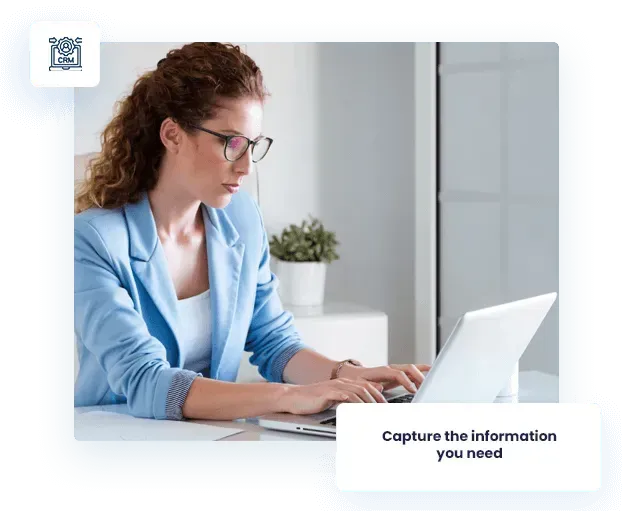
4. Best Client Intake & CRM Tools: Transform potential leads into paying clients without losing track of conversations or data. These tools make it easy to automate outreach, follow-ups, and scheduling while integrating with other practice systems. Some platforms even include built-in answering services to help ensure no client call or inquiry goes unanswered.
- Clio Grow: Integrates perfectly with Clio Manage for a seamless workflow.
- Lawmatics: Advanced CRM with automation, analytics, and form builders.
- HubSpot (Legal Stack): A general CRM adapted specifically for legal professionals.
What to Look For:
- Customizable intake forms.
- Lead scoring or segmentation.
- Appointment scheduling integration.
- Email automation and follow-up sequences.
5. Best Free or Budget-Friendly Tools for Solo Attorneys: You don’t always need enterprise-level pricing to stay organized. For solo attorneys or startups, these lightweight options offer the essentials at little to no cost.
- CaseFox (Free Tier): Time tracking and billing designed for solo practitioners.
- Trello or Notion: Simple, flexible project management using templates.
- ZipBooks: Easy accounting and invoicing with a clean, modern dashboard.
Caution: Free tools are great for starting out, but they often lack legal-grade compliance, trust accounting, and advanced reporting so plan to upgrade as your firm grows.
4. How to Choose the Best Software Stack for Your Firm
No two small law firms operate exactly alike. Some rely on a single attorney and a virtual assistant, while others manage dozens of cases with a small but dedicated team. That’s why the “best” software isn’t necessarily the most popular it’s the one that fits your workflows, budget, and growth stage. Whether you’re using insights from a marketing report or internal performance data, your choice should always align with how your firm actually works day-to-day.
1. Identify Your Pain Points First: Before you test or purchase any software, take a step back and pinpoint the problems you’re trying to solve.
- Are you losing time to manual intake or double data entry?
- Do you struggle with tracking billable hours or trust accounts?
- Are your documents disorganized or hard to retrieve?
- Do clients often complain about delayed responses or missed calls?
Your biggest bottlenecks should drive your top software priorities not trends or popularity.
2. Start Small, Then Expand: Don’t try to rebuild your entire tech stack in one go. Begin with one system that addresses your biggest challenge like billing, intake, or client communication and expand once it’s working smoothly.
Example: Start with Clio Manage for case tracking, then add Lawmatics for CRM once lead management becomes your next focus area.
3. Check Integration Capabilities: Your tools should work together seamlessly. When exploring platforms, look for each specific feature that helps your systems connect and reduce manual work. Integrations can make the difference between an efficient workflow and daily frustration.
- Calendar sync with Google or Outlook.
- Accounting integrations with QuickBooks or Xero.
- E-signature compatibility (DocuSign, Dropbox Sign).
- Email integrations with Gmail or Outlook.
The more your software integrates, the less time your team wastes switching between apps or re-entering data.
4. Consider Ease of Use and Support: An intuitive interface saves time and frustration, especially for firms without dedicated IT staff.
- Is the dashboard easy to navigate?
- Do they offer onboarding, training, or setup assistance?
- What kind of support options exist live chat, phone, tutorials?
- Can your non-technical staff manage it comfortably?
Even the best features mean little if your team struggles to use them efficiently.
5. Factor in Cost, But Think Long-Term: Free or cheap tools might seem appealing now but can lead to costly inefficiencies later. Always look beyond the sticker price.
- What’s the monthly cost per user or per case?
- Are there hidden fees for onboarding, support, or data migration?
- Does the plan include all necessary features, or are upgrades required?
- Free trials ranging from 7–30 days.
- Guided demo walkthroughs with support teams.
- Pilot access for a single user or department.
- Transparent upgrade or downgrade options.
6. Test Before You Commit: Reliable software vendors understand that law firms need proof before they buy. Take advantage of free trials and demo sessions to confirm fit before rollout.
Testing ensures the software truly fits your workflow before you invest time and money firm wide.
5. Small Law Firm Software Checklist: What to Look for Before You Buy
Before finalizing any platform for your law firm, it’s essential to double check whether the tool truly aligns with your workflow, ethics requirements, and long-term growth goals. Think of this as your final due diligence step just like reviewing a case before trial. This quick checklist will help you ensure you’re choosing software that fits your firm’s needs and the solutions we offer for law firms can serve as a reliable benchmark to compare features and capabilities.
Here’s a quick-reference checklist before committing to any legal software:
- Legal-Specific Design: Choose tools built for attorneys featuring compliance tracking, trust accounting, and workflow automation tailored for legal professionals.
- Trust Accounting: IOLTA and ethics compliance are non-negotiable. Your software should manage trust balances, transfers, and reconciliation with accuracy.
- Case & Matter Management: Keep every document, note, and deadline in one accessible dashboard to eliminate confusion and missed dates.
- Client Intake & CRM: Streamline new client onboarding and lead conversion with automated forms, follow-ups, and contact management.
- Time Tracking & Billing: Capture every billable second, automate invoices, and sync financial data across platforms to avoid errors.
- Cloud Access: Work from anywhere with real-time updates and secure mobile logins perfect for hybrid or remote teams.
- Data Security & Backups: Protect sensitive case data with encryption, routine backups, and access control to maintain client trust.
- Support & Training: Reliable onboarding, tutorials, and technical help can drastically shorten your learning curve.
- Integrations: Make sure the software connects easily with tools your team already uses, such as email, accounting, or document management systems.
- Scalable Pricing: Choose flexible pricing models that allow your firm to grow without forcing a system switch later on.
Every feature you select should add measurable value whether it’s saving time, reducing human error, or improving client satisfaction. Consider how each tool fits into your existing practice area to ensure your tech stack supports the exact kind of work you do best.

6. Final Thoughts – The Right Software Makes a Small Firm Unstoppable
Legal software isn’t just about making life easier it’s about unlocking real competitive advantages. With the right tools, even a two-person firm can run like a 20-person operation. You’ll respond faster, bill more accurately, deliver better client experiences, and grow sustainably in a high-pressure legal environment.
In 2025, choosing the best small law firm software isn’t just an upgrade it’s a necessity. To see how these tools can transform your workflow, schedule a demo and explore what a modern, efficient, and client-focused legal practice can look like.
Start small. Focus on your biggest bottleneck. Test thoroughly. And invest in a stack that will serve your firm today and scale with you tomorrow.
7. FAQs – Small Law Firm Legal Software
What’s the best small law firm software overall?
It depends on your needs. For all-in-one tools, Clio and PracticePanther are top-tier. If billing or intake is your main issue, CosmoLex or Lawmatics may be better fits.
Is cloud-based legal software secure?
Yes, most modern legal software uses bank-grade encryption, role-based access controls, and automatic backups. Always verify compliance features before purchasing.
Can I use free software to start?
Yes, tools like CaseFox, Trello, or ZipBooks offer decent free tiers, but may lack legal compliance, trust accounting, or support.
What features should small firms prioritize?
Start with case/matter management, billing, client intake, and secure document storage. Time tracking and CRM are essential as you scale.
How do I know if software will integrate with my current tools?
Check the vendor’s integration list or ask for a demo. Popular legal software often supports Gmail, Outlook, QuickBooks, Dropbox, and more.
What if my staff isn’t tech-savvy?
Look for platforms with excellent onboarding, live support, and user-friendly dashboards. Many vendors offer training videos and 1:1 support sessions.
Call 855-457-2803
Free 24/7 Strategy Session
Request a Call Back
NEED HELP? CONTACT US 24/7
(855) 457-2803
se habla espaÑol

WildGrowthControl is the first-ever all-in-one platform that will give you the tools, support and resources you need to succeed with your business.
©2026 WildGrowthControl is an independently owned and operated company - all rights reserved.